Workstation sinks have become one of the most searched kitchen sink categories for a reason. They combine the sink and prep zone into one efficient workspace with built-in ledges for accessories like cutting boards, colanders, drying racks, and sink grids. But they also create a new set of installation mistakes that many homeowners, designers, and even contractors underestimate.

If you are shopping for a workstation sink or planning an install, this guide covers the most common mistakes, what causes them, and how to avoid expensive fit, plumbing, and usability problems. If you are still comparing options, browse our full selection of workstation sinks and related undermount kitchen sinks.
Quick Answer: The Most Common Workstation Sink Installation Mistakes
The most common workstation sink installation mistakes are:
- Choosing the wrong sink size for the cabinet interior
- Ignoring the extra clearance required for workstation ledges and accessories
- Assuming all accessories are included or universally interchangeable
- Placing the faucet without considering accessory movement and reach
- Forgetting the garbage disposal and plumbing space below the sink
- Using the wrong reveal or cutout for the sink installation type
- Focusing on sink size instead of actual workflow and day-to-day use
In other words, workstation sinks are not difficult because they are trendy. They are difficult because they are more system-dependent than a standard sink. The sink, accessories, faucet, cabinet, cutout, and plumbing all have to work together.
What Is a Workstation Sink and Why Is Installation Different
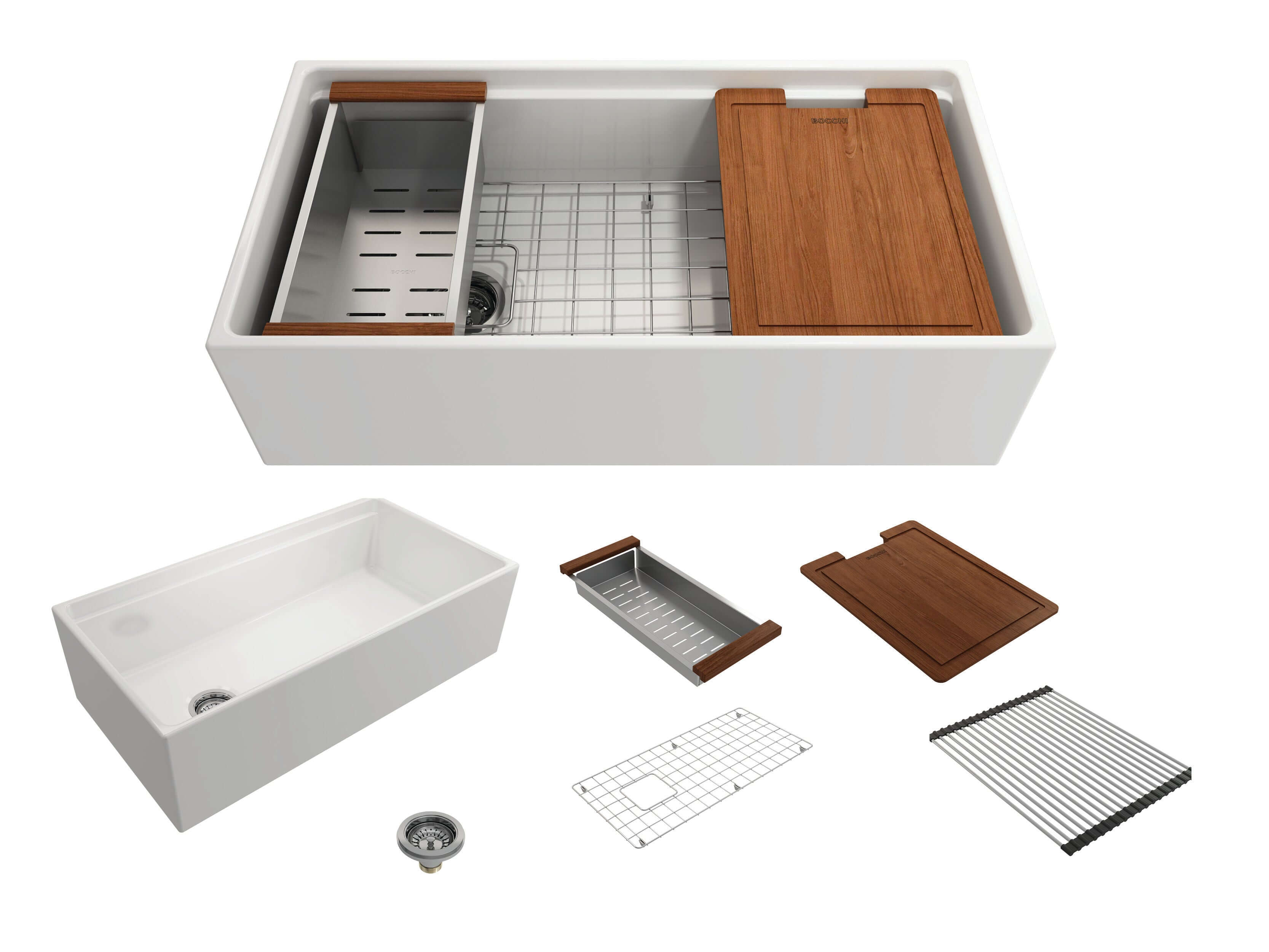
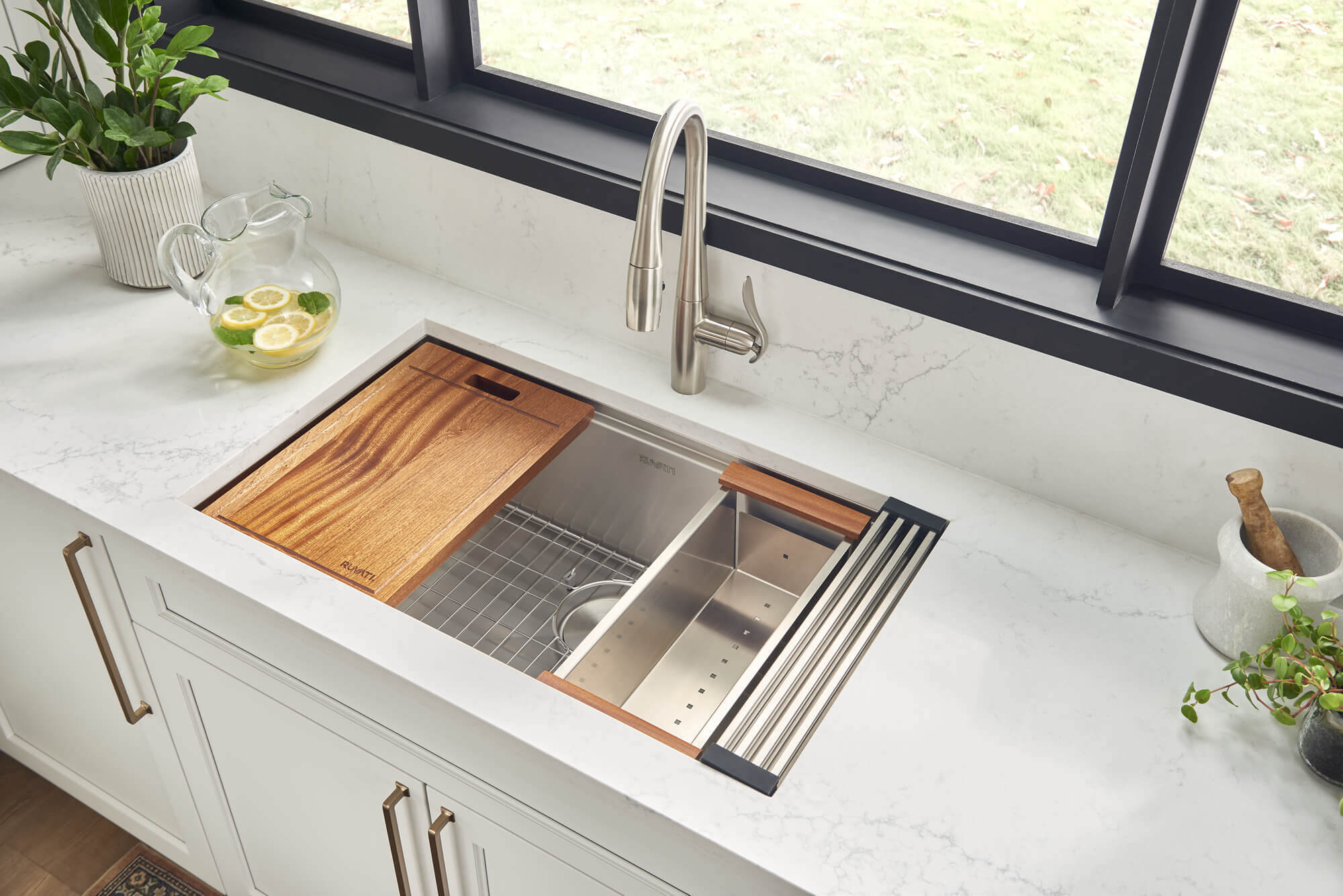
A workstation sink is a kitchen sink with integrated ledges that allow accessories to slide or rest across the basin. This lets you prep, rinse, drain, and clean up over the sink instead of spreading those tasks across the countertop. If you are new to the category, read our related guide: What Is a Workstation Sink? Benefits and Buying Tips.
That built-in functionality is what makes the category appealing, but it is also what makes installation less forgiving than with a standard sink. A traditional sink mainly needs to fit the cabinet, countertop cutout, and plumbing layout. A workstation sink also needs the accessories to function smoothly and without interference.

Mistake #1: Measuring the Cabinet by Nominal Width Instead of Interior Width
This is the single biggest mistake. Buyers often say, “I have a 36-inch sink base,” and assume that means any 33-inch or 36-inch workstation sink will fit. That is not always true.
What matters is the interior cabinet width, not just the nominal outer cabinet size. Cabinet walls, face frames, support rails, and side panels all reduce the usable opening. This matters even more with workstation sinks because the rim profile, ledges, and accessory geometry can leave less tolerance than expected.

If you found this article while researching cabinet fit, also see our related guide on farmhouse sink cabinet size requirements. It covers the same planning principle: always verify usable interior space before ordering.
What to verify before you buy
- Interior cabinet width between side walls
- Face frame restrictions on framed cabinets
- Installation type: undermount, drop-in, or apron-front workstation sink
- Manufacturer's minimum cabinet size requirement
- Whether support hardware reduces usable space
If you are comparing styles, our workstation sink collection includes popular sizes and configurations that fit a range of cabinet plans.
Mistake #2: Choosing the Wrong Size Because Bigger Sounds Better
A lot of buyers assume a larger workstation sink is always better. That sounds logical, but it is often wrong in practice.
A very large workstation sink can dominate the base cabinet, reduce room for plumbing, complicate faucet placement, and make the accessories feel crowded if the sink was not selected for the kitchen’s actual workflow. In smaller kitchens, an oversized workstation sink may eat up too much counter space and become harder to use comfortably.
Common sizing reality check
- 30-inch workstation sinks are often a smart fit for compact kitchens and smaller sink bases
- 33-inch workstation sinks are often the sweet spot for many households
- 36-inch workstation sinks work best when the cabinet, faucet, and prep style truly justify the footprint
Do not buy the largest sink that “fits on paper.” Buy the size that matches your cabinet, prep habits, cookware, and available counter space.
Sizing note: Do you have a sink in mind? Look up its SKU in Kitchen Sink Fit Check to view the manufacturer's installation specifications and standard cabinet size.
Mistake #3: Ignoring Accessory Rail and Ledge Clearance
This is one of the most overlooked workstation sink issues online. The sink may physically fit, but that does not mean the accessories will function the way you expect.
Workstation sinks depend on integrated ledges. These ledges influence how cutting boards slide, how colanders rest, and how racks stack. If your faucet, backsplash, side wall, or countertop overhang interferes with these accessories, the workstation feature becomes less useful.
Problems this creates
- Cutting boards that cannot slide freely
- Accessories that hit the faucet or backsplash
- Reduced working room for washing large pots and sheet pans
- Confusion about whether the sink basin feels shallower than expected
This is why workstation sink installation is not just about “sink fit.” It is about working fit.

Mistake #4: Assuming All Workstation Accessories Are Included or Interchangeable
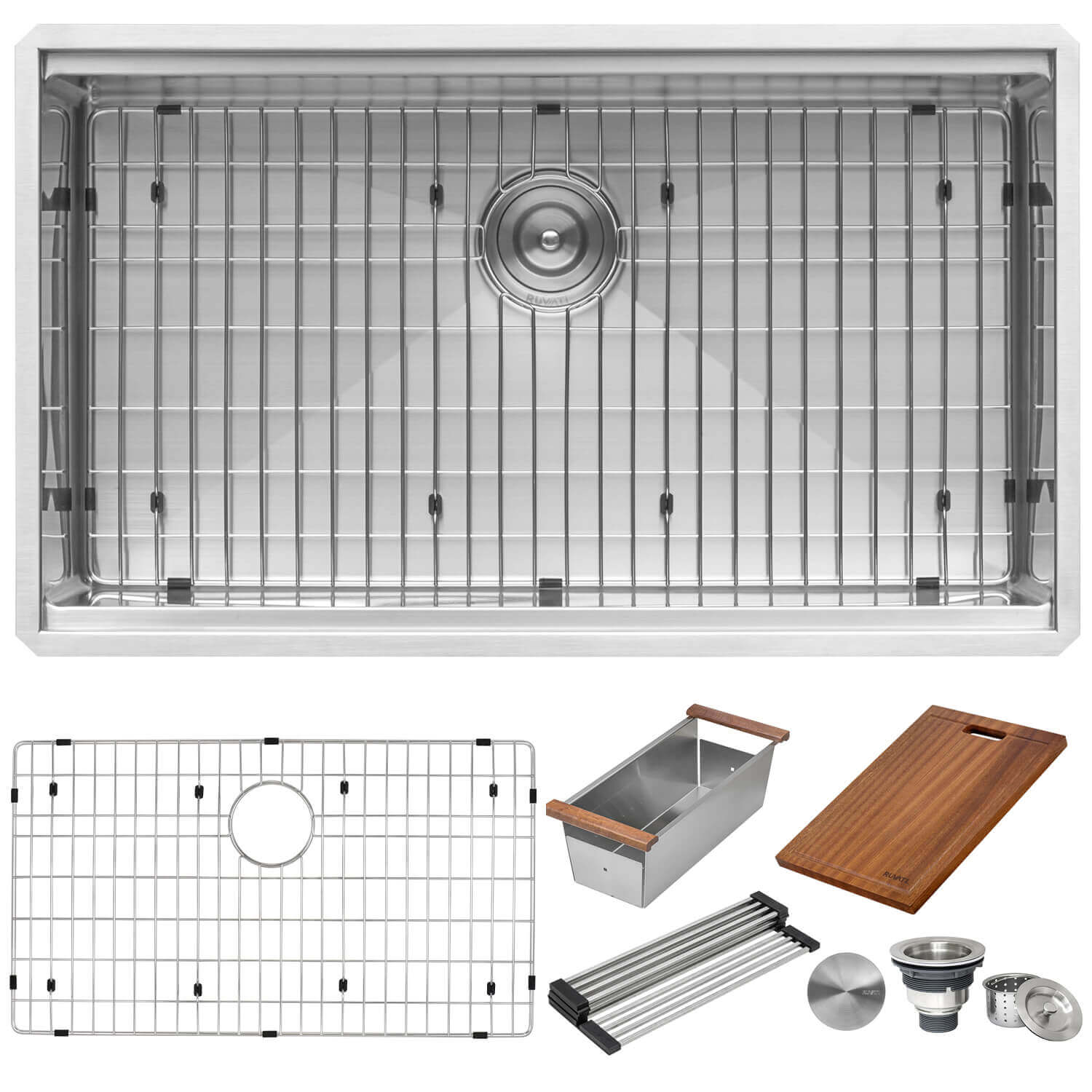
Many buyers assume every workstation sink comes with the same accessory package. That is not true. Some sinks include a generous set of accessories. Others include only the essentials. Some use proprietary accessories that are not designed to intermingle with another brand or sink line.
If accessories are a major reason you want a workstation sink, confirm exactly what is included:
- Cutting board
- Colander
- Drying rack
- Bottom grid
- Drain assembly
- Accessory rail compatibility for future add-ons

This is especially important when comparing workstation sink product pages side by side. Start with our workstation sink collection and then review each product page carefully for included accessories and installation specs.
Mistake #5: Treating Faucet Placement Like a Standard Sink Install
Faucet placement becomes more important with workstation sinks because the faucet is now sharing operational space with moving accessories. A faucet that technically works may still be awkward if it interferes with a cutting board, blocks access to the rear ledge, or does not reach the zones where you actually rinse produce and cookware.
Questions to ask before drilling or finalizing faucet placement
- Does the faucet arc interfere with sliding accessories?
- Will the pull-down sprayer reach both ends of the sink comfortably?
- Will the handle hit a backsplash or window ledge?
- Does the faucet work with how you plan to use the sink, not just how it looks?
Mistake #6: Forgetting About Garbage Disposal and Plumbing Space Below
Workstation sinks often have deeper basins and more engineered layouts than a standard sink. That can create problems below the sink, especially once you add a garbage disposal, drain fittings, water filtration hardware, or pull-out storage.
Buyers frequently focus on the top view and forget the lower cabinet realities.

Common below-sink conflicts
- Deep basin plus disposal leaves less room for storage
- Drain placement conflicts with existing plumbing rough-ins
- Accessory ledges create expectations that the sink can do everything, but plumbing still has hard limits
- Multi-piece accessory systems can encourage larger sink sizes that strain cabinet utility below
This issue is especially relevant if you are considering a workstation sink as an upgrade from a standard undermount sink. A workstation model may change not just what happens above the counter, but what becomes practical below it.
Mistake #7: Using the Wrong Installation Type for the Kitchen and Countertop
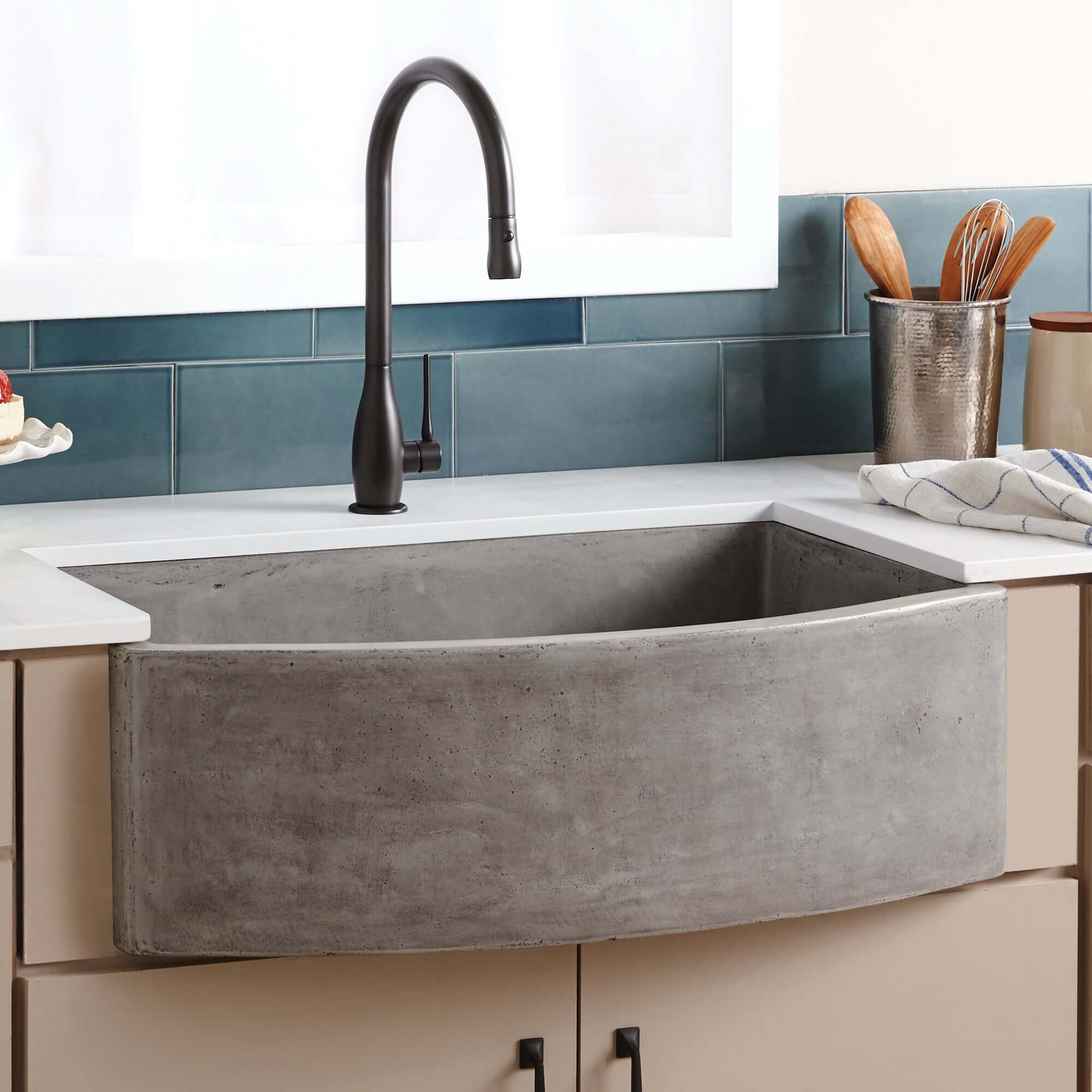
Not every workstation sink installs the same way. Some are undermount. Some are top-mount or drop-in. Some workstation models are also available in farmhouse or apron-front styles.
If the countertop fabricator or installer assumes a standard cutout without checking the sink’s actual install method, you can end up with reveal issues, ledge exposure problems, poor accessory alignment, and a sink that does not look or function the way it should.
Why this matters
- Undermount installs need clean, accurate reveal planning
- Drop-in installs need proper flange seating and edge support
- Farmhouse workstation sinks introduce front-apron and cabinet modification variables
If you are still comparing installation styles, read these related guides:
- Drop-In vs. Undermount Sinks: Which Should You Choose?
- Farmhouse vs. Undermount Sinks: Which Is Better for Your Kitchen?
Mistake #8: Choosing a Workstation Sink Without Thinking About Cleanup Reality
This is a buying mistake as much as an installation mistake. Workstation sinks look extremely efficient in product photos, but not every household uses them the same way.
For some buyers, a workstation sink becomes the most functional part of the kitchen. For others, the accessories end up stored away most of the time. The wrong sink is not just the one that does not fit. It is the one that technically installs, but does not suit how the kitchen is actually used.
Workstation sinks are usually best for:
- Home cooks who prep frequently
- Smaller kitchens with limited counter space
- Households that want prep and cleanup consolidated into one zone
- Buyers who will genuinely use the included accessories
They may be less ideal for:
- People who prefer a very open basin with no ledge interruptions
- Households that rarely use sink accessories
- Kitchens where faucet, window, or backsplash conditions limit accessory movement
This kind of honesty matters. It improves trust and reduces buyer regret.
Mistake #9: Skipping the Spec Sheet Because the Sink “Looks Standard”
Never assume a workstation sink follows generic dimensions, accessory depth, or installation tolerances just because it looks similar to another model. Workstation sinks are spec-sheet products. Small differences in rim profile, corner radius, depth, drain placement, or included accessories can change fit and performance.
Before you order, verify:
- Minimum cabinet size
- Overall sink dimensions
- Bowl depth
- Drain placement
- Included accessories
- Installation method
- Recommended cutout details
If you need help narrowing the category first, our Ultimate Guide to Choosing the Best Kitchen Sink gives a broader context before you compare workstation sink specifications in detail.
Mistake #10: Failing to Match the Sink Material to the Installation Plan

Workstation sinks are available in stainless steel, fireclay, granite composite, and more. Material affects not only style and maintenance, but also installation planning.
Stainless steel workstation sinks
- Popular for modern kitchens
- Lighter than fireclay or stone
- Often easier to manage from an install perspective
Fireclay workstation sinks
- Heavier and less forgiving
- Need more deliberate support and fit planning
- Can be beautiful, but should not be treated casually
Granite composite workstation sinks
- Design-forward and durable
- Require accurate fit and clearance verification
If you are comparing materials more broadly, see Kitchen Sink Materials Compared: Fireclay, Stainless, Granite, and More.
Workstation Sink vs Standard Undermount Sink: Which One Is More Forgiving?
A standard undermount sink is generally more forgiving to install and easier to fit into a wider range of kitchen plans. A workstation sink offers more functionality, but it also introduces more moving parts, more assumptions, and more room for planning mistakes.
| Factor | Workstation Sink | Standard Undermount Sink |
|---|---|---|
| Accessory system | Built-in ledges and compatible accessories | Usually none |
| Installation complexity | Moderate to high | Lower |
| Need for spec-sheet review | Very high | High |
| Workflow benefits | Excellent when used properly | More basic but flexible |
| Risk of buyer mismatch | Higher | Lower |
If you want to compare styles directly, browse both workstation sinks and undermount kitchen sinks to see which direction makes more sense for your kitchen and workflow.
How to Avoid Workstation Sink Installation Problems Before You Order
If you want to avoid nearly all major workstation sink mistakes, use this pre-purchase checklist:
- Measure the true interior width of your sink base cabinet
- Confirm whether the cabinet is framed or frameless
- Check the manufacturer’s minimum cabinet size requirement
- Review sink depth, drain placement, and accessory layout
- Confirm whether a garbage disposal will be installed
- Plan faucet location around accessory movement
- Verify exactly which accessories are included
- Confirm the installation type with the countertop fabricator
- Think honestly about whether you will use the workstation features
This is the difference between buying a sink that merely fits and buying one that genuinely works.
Need Help Choosing the Right Workstation Sink?
At The Sink Boutique, we help customers compare sink types, installation styles, and real-world fit before they order. We have been in business since 2018 and specialize in premium kitchen sink categories, including workstation sinks, farmhouse sinks, undermount sinks, and material-specific options.
- Free sink spec check
- Cabinet fit guidance
- Help comparing workstation sink accessories
- Live chat, phone, and customer support
- Authorized retailer support across top brands
Start here:
Related Reading
- What Is a Workstation Sink? Benefits and Buying Tips
- Drop-In vs. Undermount Sinks: Which Should You Choose?
- Farmhouse vs. Undermount Sinks: Which Is Better for Your Kitchen?
- Kitchen Sink Materials Compared: Fireclay, Stainless, Granite, and More
- The Ultimate Guide to Choosing the Best Kitchen Sink
- Farmhouse Sink Cabinet Size Guide
Frequently Asked Questions

Are workstation sinks worth it?
They can be absolutely worth it if you cook often, want to reduce countertop clutter, and will actually use the accessories. They are less compelling if you prefer a very open sink basin and do not expect to use the ledges or accessories regularly.
Do workstation sinks fit standard sink cabinets?
Sometimes yes, sometimes no. You need to check the sink’s minimum cabinet requirement and the true interior cabinet width. Do not assume based on nominal cabinet size alone.
Are workstation sinks harder to install than regular sinks?
Yes, in most cases they require more planning. The sink fit, accessory movement, faucet placement, and plumbing constraints all matter more than with a basic standard sink.
What is the biggest mistake buyers make with workstation sinks?
The biggest mistake is focusing only on sink width and ignoring cabinet interior width, accessory clearance, and how the sink will actually function once installed.
Should I choose a workstation sink or a regular undermount sink?
Choose a workstation sink if you want integrated prep functionality and will use the accessories. Choose a regular undermount sink if you want something simpler, more forgiving, and easier to integrate into a wider range of kitchen layouts.